Edit Smarter. Share Sooner.
Castify Video Editor gives you intuitive tools to clean up and enhance videos directly in your browser. Edit with a simple timeline or revise your video by changing its transcript.
.gif)
Millions of teachers & students use Screencastify to create amazing videos
Clean Up Videos Without the Complexity
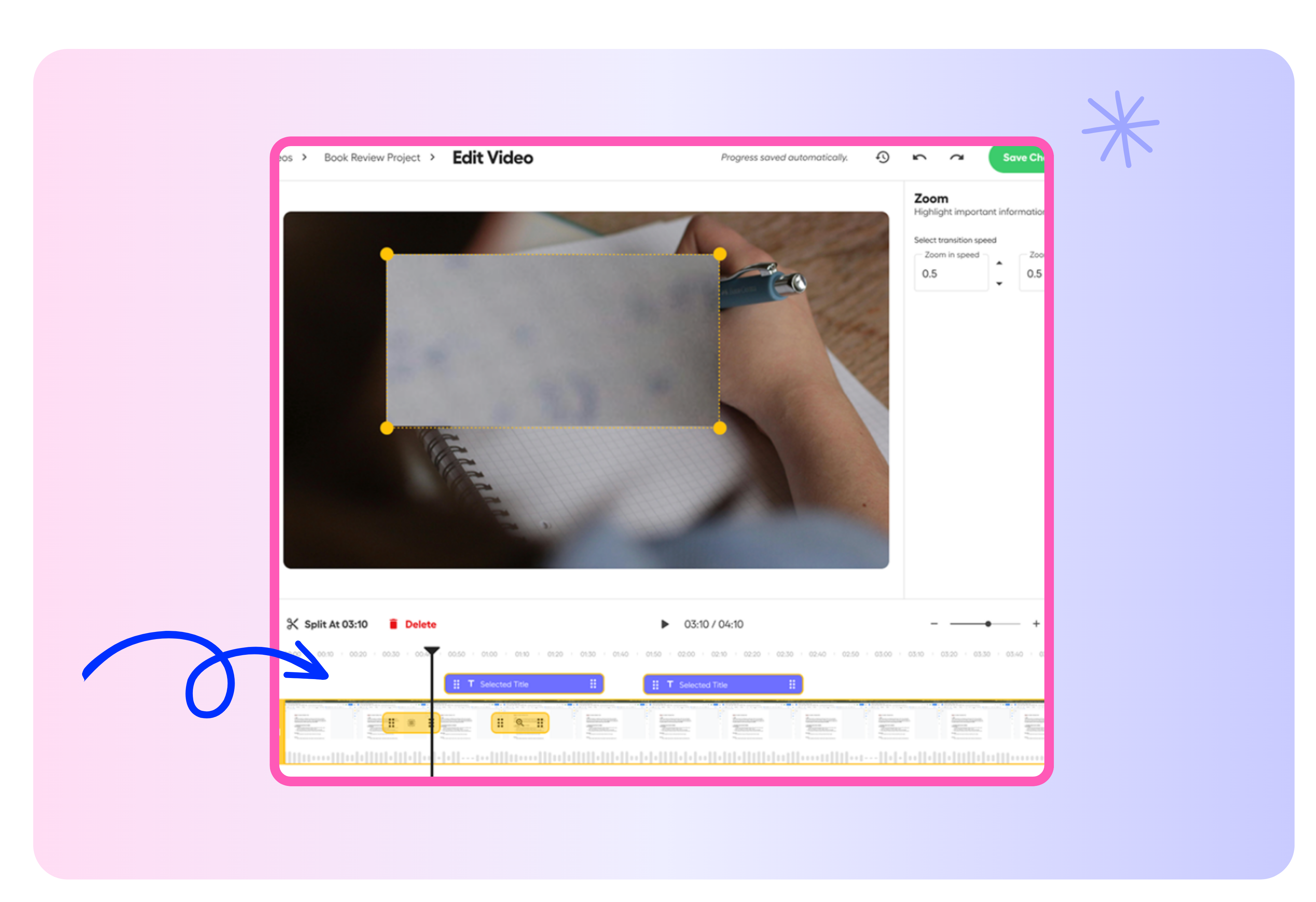
Remove mistakes, tighten your message, and organize clips with straightforward editing tools. Create polished videos without mastering traditional editing software.
- Trim the beginning, middle, or end of a recording
- Split and rearrange clips with drag-and-drop controls
- Edit video content as easily as editing a document
.png)
Enhance Every Message With AI
Make videos more engaging and accessible with AI-powered creative tools. Add helpful visual and audio elements without moving between multiple platforms.
- Generate and customize captions
- Add voiceovers and text overlays
- Include images from your device or Google Drive
Your video is just the beginning
With Castify, one recording can become so much more. Edit your video, collect student responses, transform recordings into documents, explore standards-aligned content, and collaborate—all in one place.
.png)


Create Better Learning Videos in Less Time

Polish Recorded Lessons
Remove mistakes, pauses, and unnecessary sections so students can focus on the most important information.

Improve Accessibility
Add AI-generated captions and voiceovers to help more students follow and understand your content.

Reinforce Ideas With Visuals
Insert diagrams, screenshots, slides, and other images to explain concepts and emphasize key points.
Share Lessons Faster
Export a finished video or generate a secure link to send polished content directly to students and colleagues.
Join millions of screencasters today
Screencastify Record is the simplest screen recording tool for educators, personal, or professional use.
.avif)
Frequently asked questions

No. Castify Video Editor works directly in your browser, so you can upload or open a video and begin editing without installing traditional editing software.
Yes. After finishing a Screencastify recording, you can open it directly in Castify Video Editor to trim, enhance, or edit it by transcript.
Castify automatically transcribes your video. Delete a section of text from the transcript, and the corresponding portion is removed from the video.



.svg)